
Haicue pilot
Thanks for trying Haicue early.
You are early, and that matters. Haicue is still a small, opinionated desktop app, so I’m opening it first to a few people I know and can help directly before it goes wider.
During the pilot, I’ll help you set it up around one real workflow: a code task, a meeting follow-up, research, or whatever is already on your plate. By signing in during the pilot, you’ll keep free lifetime access to Haicue, plus priority support and early access to features shaped around how you actually work.
Install
Install Haicue, open it, and keep this page nearby for the demo step.
Open in Terminal
Downloads the latest DMG and installs Haicue into Applications.
curl -fsSL https://haicue.com/install.sh | sh
Other install methods
Homebrew
Use the Haicue Homebrew tap with a pinned release checksum.
brew tap geeewhy/haicue-brew https://github.com/geeewhy/haicue-brew
brew trust geeewhy/haicue-brew
brew install --cask haicue
DMG
Download the macOS disk image directly.
The install script and DMG use the latest public macOS build. Homebrew keeps the install reproducible with a pinned release checksum.
Preview the setup flow
Start here for a quick look at how Haicue works. Then we’ll set it up with one small piece of real work so it starts from your actual context.
Inside the app, hit a problem?
Click the speech-bubble icon in the bottom-right corner. Pick Bug, Feature, or Other, describe what happened, and use Capture region if a screenshot would help.
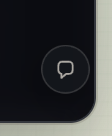
Click the bottom-right bubble.
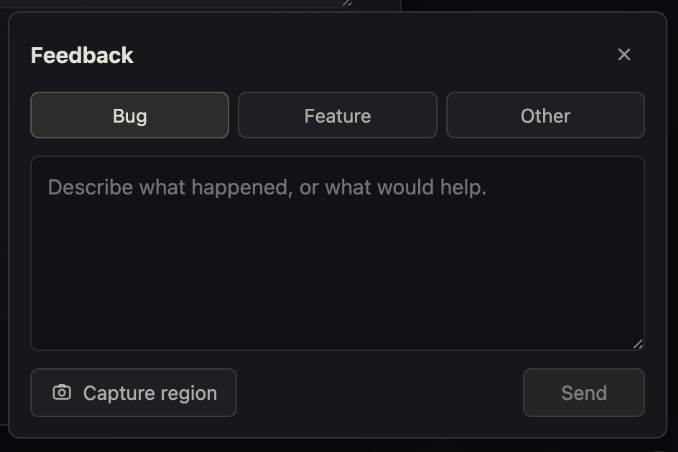
Then pick a type, describe it, and capture the region if it helps.
Installation problems?
If setup gets stuck, book a quick time with me or email me. I’m happy to walk through it with you and resolve it together.
Try one real pass, or a few
Pick something small and real. The point is to see where Haicue helps, stalls, or surprises you.
- Open the folder where you actually keep this work.
- Let Haicue describe the workspace in plain language.
- Create one thread for a task you can finish today.
- Save the result in the thread, then come back to it once.
Thank you again. Don’t hesitate to send what felt unclear, what felt useful, and what you would change before asking someone else to try it.